Cabinet Vision Shop Drawing & 3D Modeling Services
Reviewed by our engineering team · Updated August 2026
What You Get
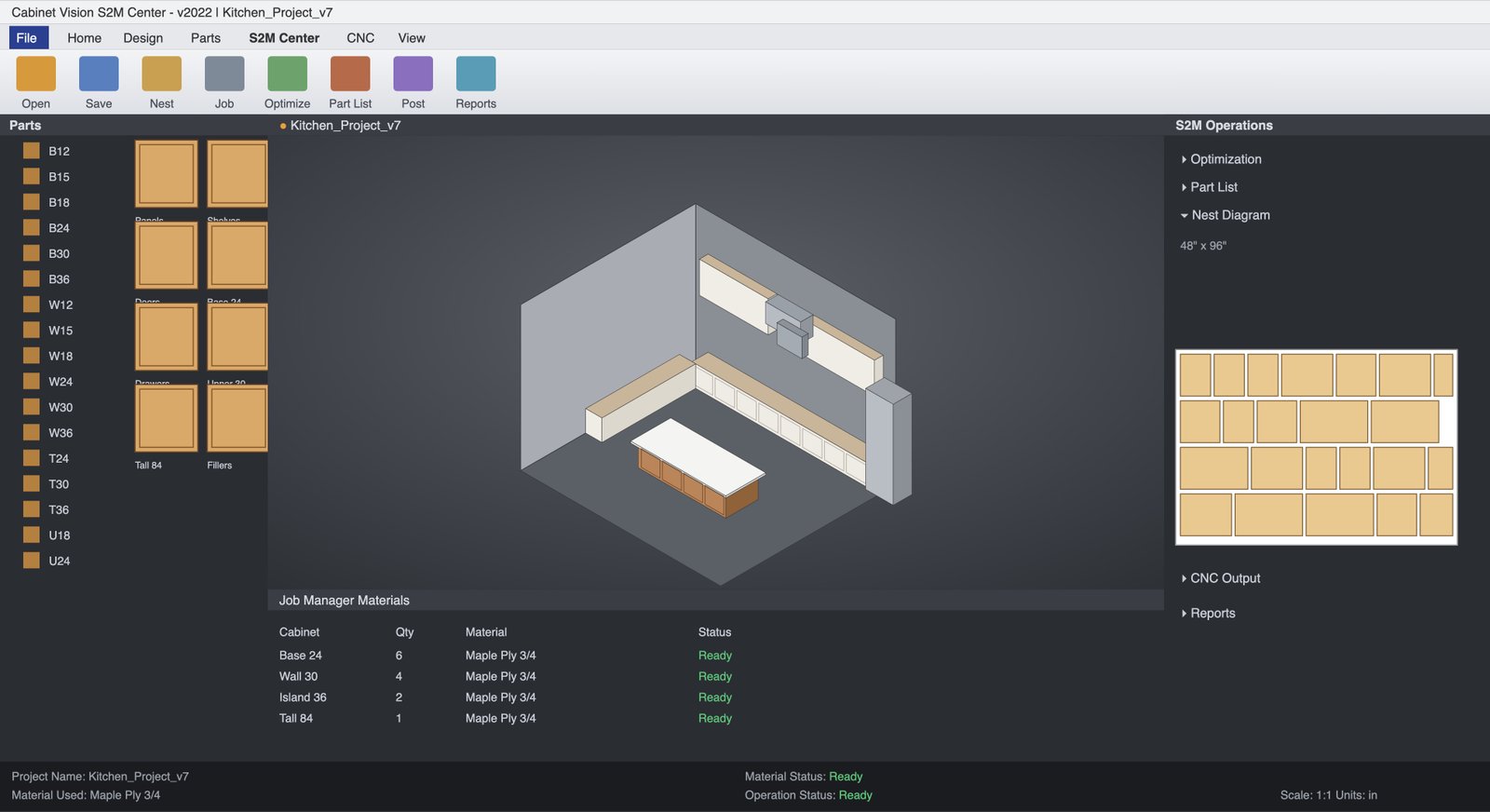
Solid & Screen-to-Machine Models
Built in whichever workflow your shop runs — full Solid modeling or a direct Screen-to-Machine path to the router.
3D Client-Approval Renderings
The same model your client signs off on is the model that gets built — no separate rendering pass that can drift from production.
Automated Optimization Reports
Material usage and nesting optimization generated automatically from the model, not eyeballed after the fact.
Production-Ready Cut Files
Cut lists and part files that hand off straight to your machine, carrying the same material and hardware call-outs approved in 3D.
Material & Hardware Schedules
Full schedules generated from the model so nothing gets re-keyed by hand between design and production.
Machine-Posted Output
Screen-to-Machine jobs post directly to your router, keeping the model-to-machine path as short as your workflow allows.
3D Models Built to the Same AWI Edition 3 Tolerances as Our 2D Shop Drawings.
- Reveal and gap tolerances built into the 3D model match AWI Ed.3 defaults, not a visually-approximate render
- Hardware boring and joinery in the model reflect the actual approved hinge, slide and fastener call-outs, not placeholder geometry
- Material and finish assignments in Cabinet Vision match the approved submittal's finish schedule, so what's shown is what ships
- Optimization reports respect grain-direction and finish-face requirements before they optimize for waste
- Model and cut files reviewed by a senior CNC/CAD engineer before client sign-off is requested
Problems We Solve — That Everyone Else Runs Into
These are the failure points we hear about most from shops, GCs and architects before they switch to us.
Clients Approve a Rendering That Isn't the Production File
A separate marketing-style rendering can drift from what actually gets built. Our Cabinet Vision model is the production file — approval and production come from the same source.
Manual Optimization Wastes Stock and Machine Time
Eyeballed nesting leaves material and router time on the table. Automated optimization reports catch it before a sheet gets loaded.
Screen-to-Machine Handoffs Break Mid-Production
A model not built for Screen-to-Machine from the start tends to fail at the handoff. We build for the target workflow from the first part, not after the fact.
3D Visuals Double the Cost of a Separate Modeling Pass
Commissioning a rendering and a production model separately means paying twice and reconciling two files. One Cabinet Vision model serves both here.
How We Do It Differently
One Model, Two Jobs
The same file drives client sign-off and production — no reconciling a rendering against a separate cut file later.
Optimization Built In, Not Bolted On
Automated waste and nesting reports come standard with every job, not as a paid add-on.
Native Solid & Screen-to-Machine Experience
We run both workflows daily, so your job is built for the path your shop actually uses — not adapted to it after modeling starts.
3-Tier QA Before Client Sign-Off Is Requested
A senior engineer reviews the model against the approved submittal before you present it to a client.
From design intent to a 3D model your client signs off on and your router runs from — one file, no drift.
Design Intent & Library Match
Send your plans, specs and Cabinet Vision library. We confirm workflow (Solid or Screen-to-Machine), materials and tolerance requirements.
3D Modeling for Sign-Off
The model is built to AWI Ed.3 reveal, gap and hardware standards, so it's presentation-ready and production-accurate at once.
Optimization & Cut File Prep
Automated optimization reports run against the model, and cut files are prepared for your machine or CAM process.
Delivery & Posting
You receive the model, cut lists, schedules and optimization report, with Screen-to-Machine jobs posted directly to your router.
Explore Our Other Drafting Services
Frequently Asked Questions
What's the difference between Solid and Screen-to-Machine workflows?
Solid Cabinet Vision builds a full parametric 3D model for design, visualization and detailed drawings. Screen-to-Machine (S2M) is a more direct path from design intent to machine output, suited to shops that don't need the full Solid detail layer. We work in whichever your shop already runs.
Can clients actually approve directly from the 3D model?
Yes — because the model is the production file, not a separate rendering, what a client sees and signs off on in 3D is dimensionally what gets built, down to the reveal and hardware detail.
How much material waste do optimization reports typically save?
Shops moving from manual nesting to our automated optimization commonly see meaningful sheet-stock savings — comparable to the roughly 25% reduction we see on Microvellum jobs — without sacrificing grain match or finish-face requirements.
Do you provide cut lists alongside the 3D model?
Yes. Every Cabinet Vision delivery includes production-ready cut lists and material/hardware schedules generated from the model, not re-keyed separately.
Ready to Start Your Next Cabinet Vision Shop Drawings Project?
Send us your project scope and we'll confirm software, timeline, and next steps — whether it's a single set or ongoing drafting support for your team.